


NaturalReader - Text to Speech
4.32.58K Reviews
App Specs
- Version
- 9.47
- Updated On
- License
- Free
- Downloads
- 5,000,000+
- Developer
- Naturalsoft Limited
- Categories
- Productivity
- Platform
- Android, iOS
Screenshots
 Analysis by AppCompare
I find the most useful way to think about NaturalReader is as a bridge between documents and listening time. Instead of saving every article or PDF for a moment when I can sit down and read, I can have text spoken aloud while I’m doing something that doesn’t need my full attention. That shift is the app’s real appeal: it makes existing reading material easier to fit into a busy day, though it doesn’t replace focused reading for every task.
Turning documents into listening time
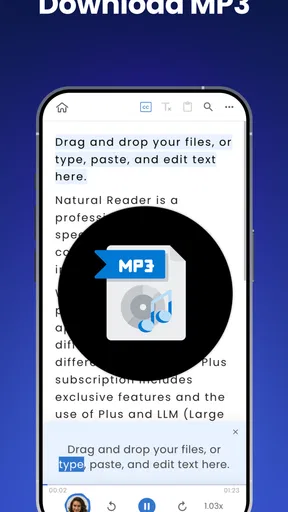
NaturalReader is a productivity app from Naturalsoft Limited, built around converting written material into speech. Its store summary describes a library of more than a thousand AI-powered voices, support for PDFs and over twenty document types, and the ability to turn text into MP3 audio. Those options make it more than a basic read-aloud button: the idea is to bring different kinds of reading into one listening workflow.
That can be particularly handy when a document is useful but awkward to read on a phone. A long report, a set of notes, or an article saved for later can become something I listen to while walking or doing a simple chore. I’d still want the document open when I need to inspect a table, compare figures, or mark up a passage, but audio is a practical alternative when the main goal is to follow the wording and ideas.
Where listening helps—and where it does not
Text-to-speech changes the conditions under which I can get through material; it doesn’t magically make every document easier to understand. Listening works well for prose that follows a clear line of thought. It is less convenient when the meaning depends on page layout, footnotes, diagrams, equations, or frequent jumps between sections. In those cases, I’d use the audio as a first pass and return to the screen for careful checking.
A useful habit is to choose the right kind of reading before pressing play. If I’m trying to grasp the broad argument of an essay, audio can keep me moving. If I’m editing a contract or studying a dense passage where one missed word matters, I’d slow down and read along. That distinction helps set realistic expectations: NaturalReader can reduce screen time, but it isn’t a substitute for attention.
A realistic routine for a document-heavy day
Imagine I have a report to review, a few saved articles, and a short window to get outside. I can queue up the material I already planned to read and listen while walking, then return to the passages that need closer attention once I’m back. The benefit isn’t that I suddenly have more hours; it’s that some straightforward reading can share time with an activity that doesn’t compete for the same focus.
I’d keep the listening queue intentional rather than turning every file into audio. A short article may be quicker to scan, while a longer document may be worth hearing in sections so it’s easier to remember where a point came up. If the app’s document handling or voice choice doesn’t suit a particular file, switching back to ordinary on-screen reading is a sensible fallback, not a failure of the workflow.
Worth Reading Before You Choose

EA SPORTS FC Mobile 26 Is a Bigger Football Game, but It Takes Time

Flipboard Shows What News Apps Must Do Beyond the Feed

Switching to Android Auto Means Rethinking Your Driving Routine

Google Calendar Makes a Crowded Week Easier to Manage

Ludo King Makes the Most of the Minutes Between Plans

Baby Panda World Brings Quick Play to Modern Phones, but Its Game Library Feels Busy
Why the voice options matter
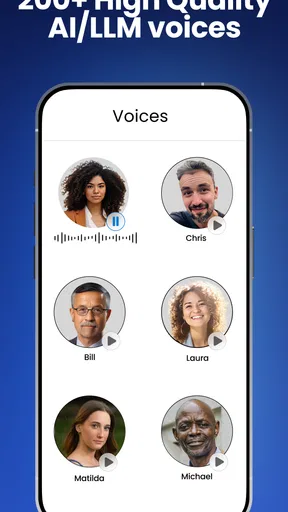
A large choice of voices matters for more than novelty. The voice that sounds comfortable for a few minutes may become tiring over a longer session, and a pronunciation that works well for one language or document may not suit another. I’d sample voices with the sort of material I actually expect to hear, rather than choosing based on a brief preview alone. For regular use, comfort and clarity matter more than the most expressive-sounding option.
Reading speed also involves a trade-off. Raising it can help with familiar material, but pushing too quickly makes it easier to miss transitions and names. For something new or technical, a calmer pace is often the better choice. I’d adjust speed to the content rather than keeping one setting for every document; that small decision can make a listening session feel much less like a race.
Your Personal Reading Companion
First off, let me tell you that NaturalReader is super easy to use. Once you download it, you’re greeted with a clean and user-friendly interface. You don’t need to be a tech wizard to navigate through the app, which is great. The setup is pretty straightforward, and you can dive right into converting your text to speech.
Features Worth Talking About
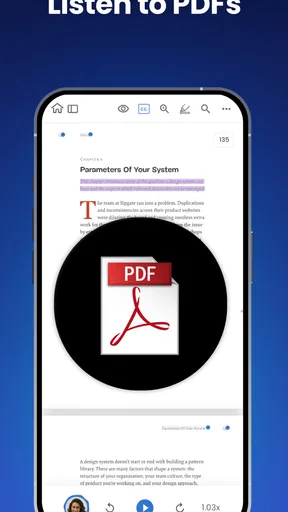
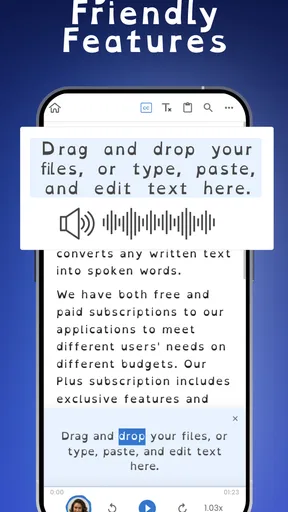
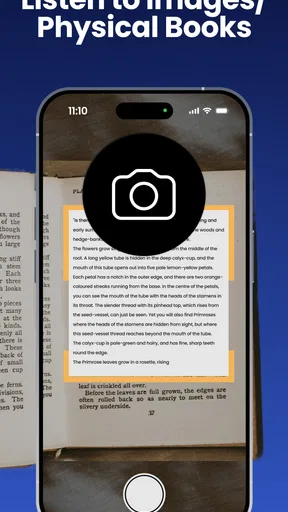
One of the coolest features is the ability to import documents from various sources. Whether it’s a PDF, Word document, or even a web page, this app has got you covered. I tried uploading a few different file types, and it handled them like a champ. The conversion process is swift, and you can select from a variety of voices and accents to suit your preference.
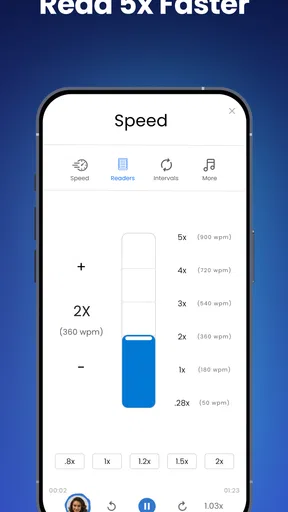
What really blew me away was the quality of the voices. They sound incredibly natural and lifelike, almost like having a conversation with a friend. This is a significant upgrade from the robotic voices you might have encountered in other text-to-speech applications. You can even adjust the reading speed, which is perfect if you’re in a hurry or want to savor every word.
Customization and Accessibility
Customization is another area where NaturalReader shines. You can create playlists of different documents, which is fantastic if you’re juggling multiple reads. The app also syncs across devices, so you can start listening on your phone and pick up where you left off on your tablet.
For those who need a bit of assistance, the app provides excellent accessibility options. It’s particularly useful for visually impaired users or anyone who finds reading for extended periods challenging. The ability to convert text to audio makes content consumption more inclusive and enjoyable for everyone.
Practical Uses and Versatility
So, how can you incorporate this app into your daily life? Well, the possibilities are endless. You can listen to research papers during your commute, catch up on news articles while cooking, or even learn a new language by hearing the text aloud. I personally found it handy for reviewing work documents without being tied to a screen.
The app supports multiple languages, making it a versatile tool for language learners. You can switch between languages seamlessly and even pick up on pronunciation nuances that might be missed in written text. It’s like having a personal tutor in your pocket.
Costs, compatibility, and the sensible choice
The app is free to download, has an Everyone content rating, and has been available since September 2020. It has a 4.4 average from around 54,000 ratings, with more than a million installs. Its current version is 9.40, and it requires Android 7.0 or later. In-app purchases range from $9.99 to $159.99 per item, so I’d try the free experience with my own files before deciding whether any paid option is worthwhile for my routine.
That pricing range is worth keeping in perspective: a person who listens occasionally may not need to spend anything, while someone who depends on frequent document conversion should check the current purchase details in the app before building a workflow around them. The right question isn’t simply whether the app has many voices; it’s whether the voice and document handling you need are available in the way you intend to use them.
Compared with a phone’s built-in accessibility read-aloud tools, NaturalReader is more focused on bringing documents together and listening to them as a reading activity. Built-in tools can be enough if I only need a quick readout of what’s on screen. A dedicated audiobook app is better when I want a professionally narrated book. NaturalReader sits between those choices: it’s most useful when I already have text or documents and want a spoken version.
Trade-offs to consider before relying on it
There are practical limits to listening as a reading method. Speech takes time, and I can’t scan a spoken document as quickly as I can skim a page for a heading or a key phrase. When I need to locate one specific detail, visual search is usually faster. I also wouldn’t treat a spoken version as proof that a document has been interpreted perfectly; formatting-heavy files can be harder to follow by ear, so checking the original remains important.
Another consideration is the listening environment. A quiet walk or a routine task can suit audio well, but a noisy commute or a conversation-heavy workplace may make it difficult to concentrate. I’d save more demanding material for a setting where I can hear it clearly, and choose lighter reading when attention is divided. That keeps the app useful without expecting it to solve every scheduling problem.
For study, I’d use spoken text to review material I have already encountered, not as my only way of learning it. Hearing a passage can help me notice awkward phrasing or reinforce a point, but diagrams, annotations, and side-by-side comparisons still call for the page. For language practice, listening to written text can help connect spelling with sound, but it should complement other practice rather than stand in for conversation or pronunciation feedback.
Who will get the most from it
I’d recommend NaturalReader to people who already have documents they want to read and regularly find themselves away from a comfortable reading screen: students revisiting notes, professionals catching up on prose-heavy files, and readers who prefer audio or benefit from text being spoken aloud. Its value grows when listening becomes a repeatable habit, such as clearing a small queue during a walk rather than waiting for a large block of free time.
I’d be less likely to recommend it to someone whose main goal is to listen to commercially narrated books, or to anyone who mostly needs to search, annotate, and compare pages quickly. A conventional ebook reader or audiobook service may be a better fit for those jobs. Likewise, if you only occasionally want a short screen passage read aloud, your device’s built-in option may be all you need.
Wrapping It Up
In a world where time is of the essence, NaturalReader - Text to Speech offers a convenient and efficient way to consume content. Whether you’re a busy professional, a student, or someone who simply loves audiobooks, this app is a worthwhile addition to your toolkit.
The combination of high-quality audio, user-friendly interface, and a plethora of features makes it stand out from the crowd. Give it a try, and you might find yourself wondering how you ever managed without it.
Ready to transform your reading experience? You’ll find the download links for both Android and iOS right here. Trust me, once you start using NaturalReader, you’ll be hooked!
Pros
- User-friendly interface with intuitive controls.
- Supports multiple document formats seamlessly.
- High-quality
- natural-sounding voices available.
- Offers offline functionality for convenience.
- Customizable reading speed and voice options.
Cons
- Premium features require a subscription.
- Limited free voice options available.
- Occasional bugs with document parsing.
- Lacks integration with some cloud services.
- No multi-language support in free version.
FAQs for NaturalReader - Text to Speech
What platforms is NaturalReader - Text to Speech available on?
NaturalReader - Text to Speech is available for both Android and iOS devices. This ensures that users can access the app on a wide range of smartphones and tablets. Additionally, the app may also offer desktop versions for Windows and macOS, providing flexibility and accessibility on various devices.
Can I use NaturalReader offline?
Yes, NaturalReader allows users to download voices for offline use. This feature is particularly useful for those who need reliable access to text-to-speech functions without a constant internet connection, such as when traveling or in areas with limited connectivity.
What types of documents can NaturalReader convert to speech?
NaturalReader supports a variety of document types, including PDFs, Word documents, and web pages. This versatility ensures that users can listen to content from different sources, making it a convenient tool for students, professionals, and anyone who prefers auditory learning or has accessibility needs.
Are there different voice options available in NaturalReader?
Yes, NaturalReader offers a wide range of voice options, including different accents and languages. Users can choose from premium voices that provide a more natural and human-like reading experience, enhancing comprehension and enjoyment, especially when listening to lengthy texts.
Is there a cost to using NaturalReader?
NaturalReader offers both free and premium versions. The free version includes basic features, while the premium version provides access to additional features such as higher-quality voices and advanced customization options. Users can choose a subscription plan based on their needs and budget.


